
GEMINI FOR GOOGLE-FIRST TEAMS
If your work runs on Google, put Gemini where you already spend your day. Brief a project from scattered docs, turn videos into playbooks, find the decision in your inbox, and schedule by saying it once.
No coding required. Everything runs inside Google Workspace with Gemini.
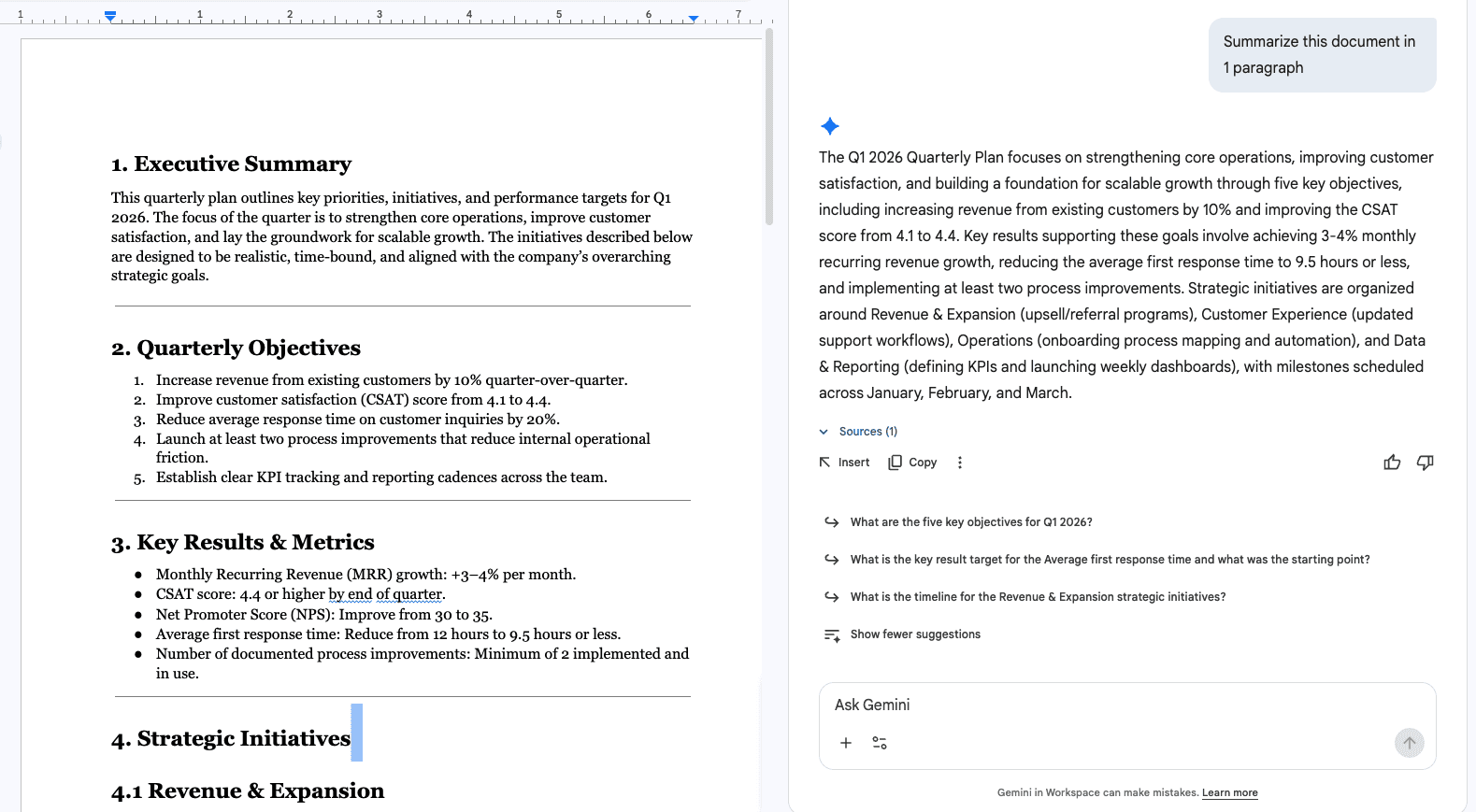
Project briefing from scattered docs
WHAT YOU BUILD
Four workflows for the Google tools you already use.
01
Project Briefing from Scattered Docs
Gemini pulls context from your Docs, threads, and decks into one structured brief with owners and open decisions.
02
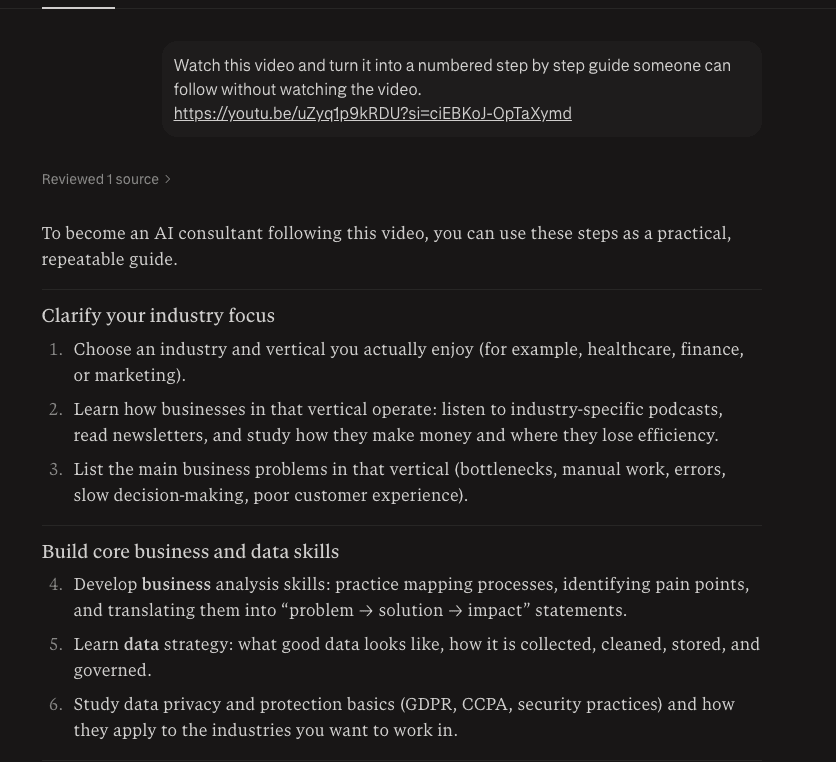
Turn Any Video Into a Playbook
Get numbered steps, tools, and tips from any walkthrough or recording, so nobody has to scrub through the video.
03
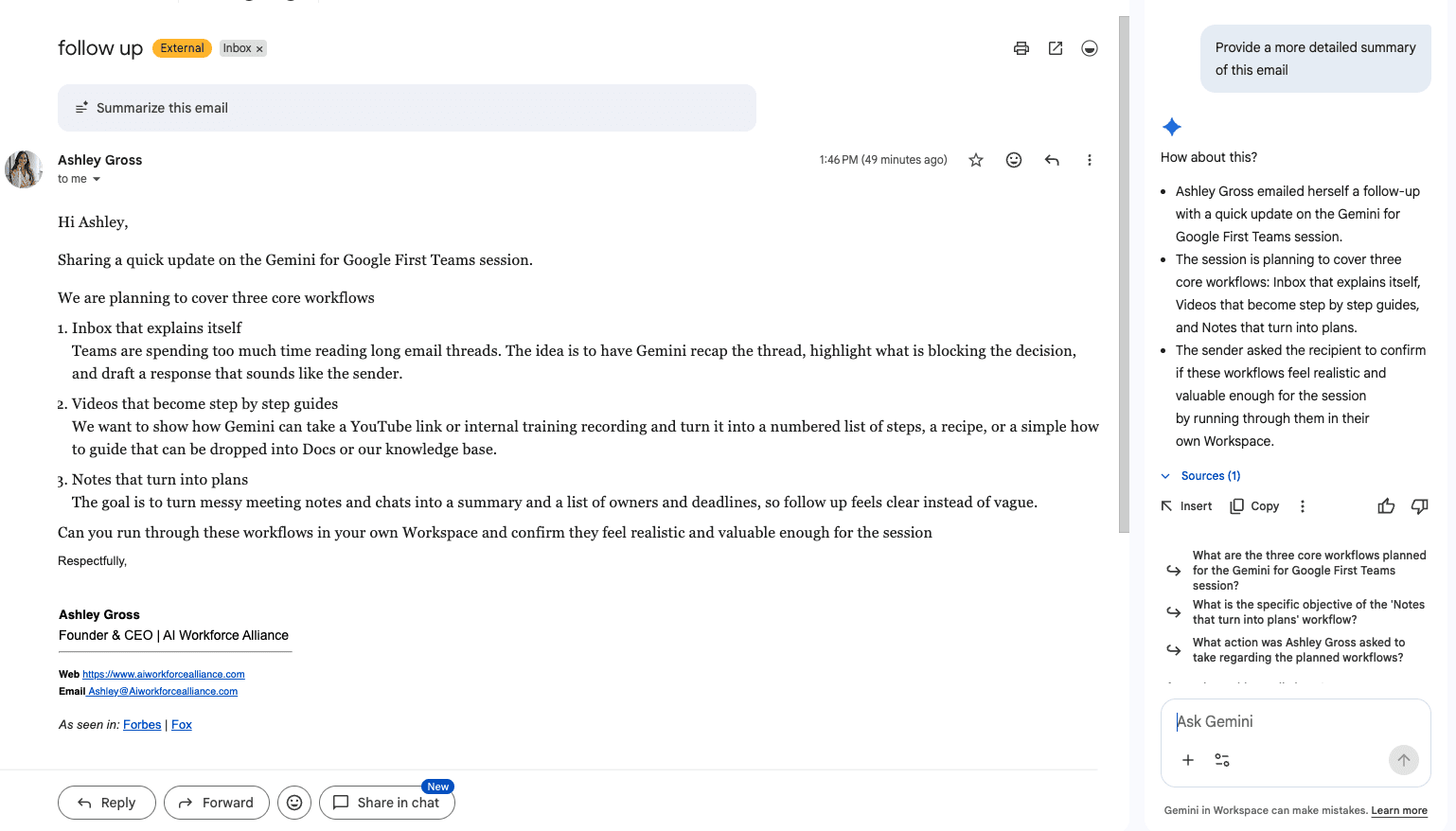
Find the Decision Inside the Inbox Noise
Gemini reads a long thread and surfaces only the decision, the owner, the deadline, and a suggested reply.
04
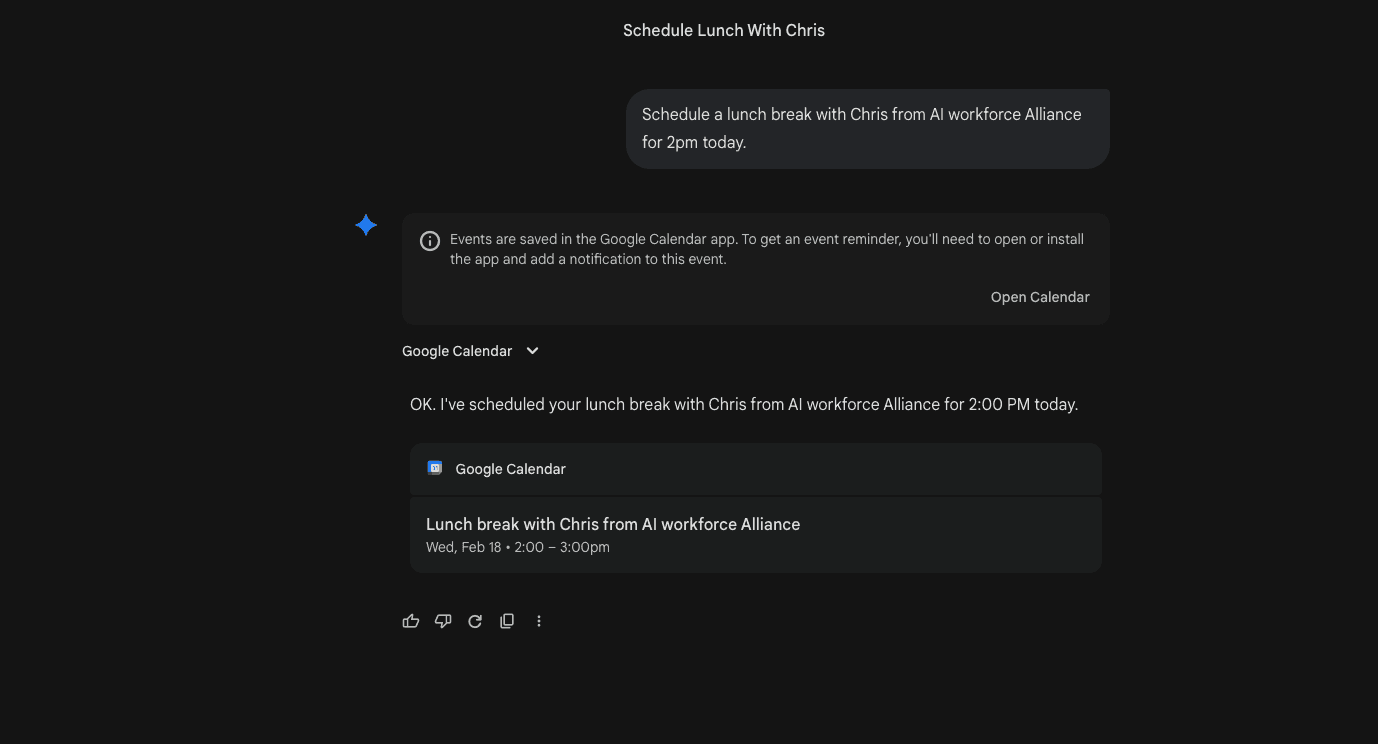
Say It Once and It Is Scheduled
Describe an event in plain language and Gemini creates it in Google Calendar, recurrence and reminders included.
WHAT YOU GET
Everything you need to start this week.
✓
Four ready-to-use Gemini workflows for Docs, video, Gmail, and Calendar
✓
Copy-and-paste prompts for every workflow
✓
Prompt variations for daily inbox scans, meeting prep, and batch scheduling
✓
A memory import prompt that brings your context from another AI into Gemini
✓
A guide to when to use a Gemini Project and when to use NotebookLM
✓
A one-week action plan to measure the time you save
✓
The full session recording
✓
The full session transcript
WHERE IT RUNS
Right inside Google Workspace.
Gemini in Gmail and Calendar
Work from the side panel next to your inbox and calendar, without switching tabs.
Gemini, Projects, and NotebookLM
Brief projects, interrogate documents, and keep context across sessions.
WHAT YOU NEED
A Google Workspace account with Gemini enabled. Your admin may need to turn it on. No coding required.
WHO THIS IS FOR
Teams whose work runs on Google. Operators, sales, and enablement leaders who want Gemini doing real work across email, docs, and calendar.
Stop clicking through five screens to get one thing done.
Say it once. Let Gemini handle the rest.